
Screenshots

App details
- Updated
- Nov 26, 2010
- Language
- English
- Category
- Mobile
SoftPas in:
This product is also available in the following languages:
About Take Note
Download Take Note – reminders, notifications, task management, productivity, schedule, organize
Overview
Take Note is a streamlined productivity tool designed to help users manage daily tasks and important events through customizable notifications. The app addresses the common challenge of forgetting critical actions by enabling users to schedule precise, repeatable alerts. Whether it's medication reminders, work deadlines, or personal goals, Take Note ensures that no important task slips through the cracks. Its primary function is to serve as a lightweight yet effective scheduling assistant, ideal for individuals seeking to enhance personal organization with minimal friction.
Targeted at users who rely on timely alerts to maintain structure in their routines, Take Note caters to students, professionals, and individuals managing complex daily schedules. The app’s simplicity makes it accessible to users of all technical skill levels, requiring no learning curve. While the developer, Take Note, has not provided detailed background information, the app’s long-standing presence in the Android ecosystem—first released in 2010—suggests a focus on stability and core functionality over frequent updates.
Real-world applications include setting hourly hydration reminders, recurring task alerts for project management, or weekly check-ins for personal development goals. In the broader app ecosystem, Take Note occupies a niche as a no-frills, reliable notification scheduler. Its minimal footprint and free pricing model make it a practical choice for users who prioritize function over flashy design.
Key Features & Functionality
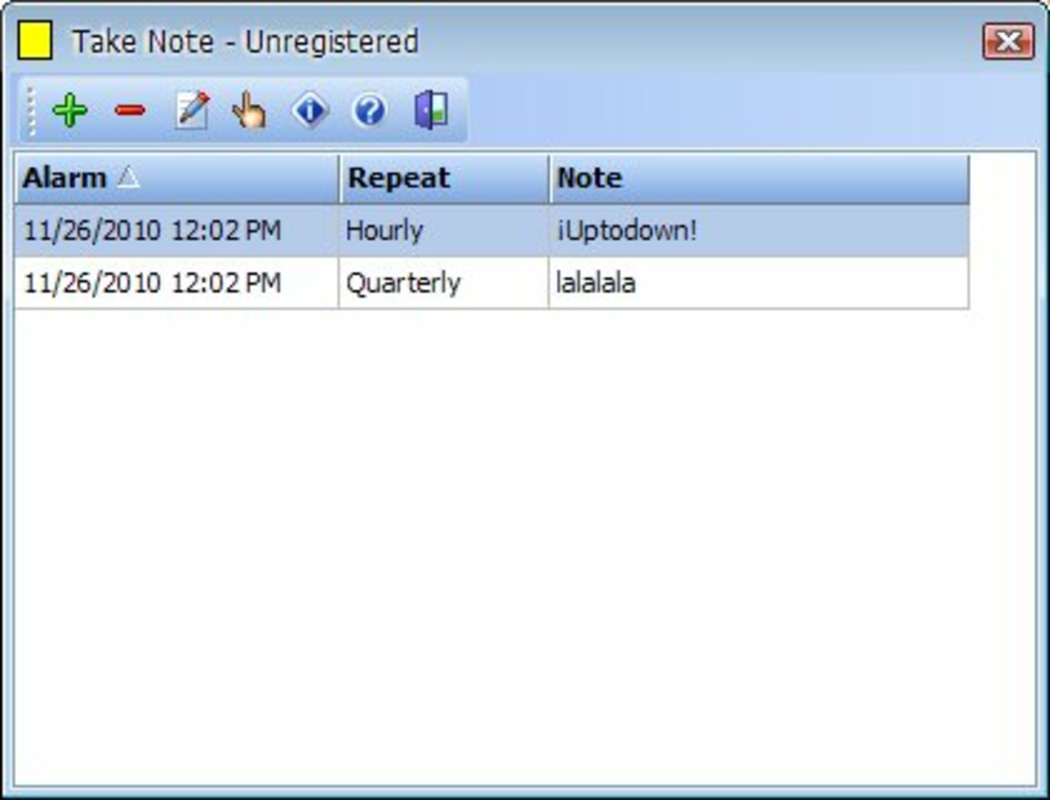
- Customizable Notifications: Users can input personalized messages for each alert, allowing for specificity in reminders—such as “Take insulin” or “Review quarterly report.” This flexibility ensures that notifications are meaningful and actionable.
- Flexible Scheduling Options: The app supports daily, weekly, hourly, and custom interval scheduling. This enables users to tailor alerts to their unique routines, from morning affirmations to end-of-day summaries.
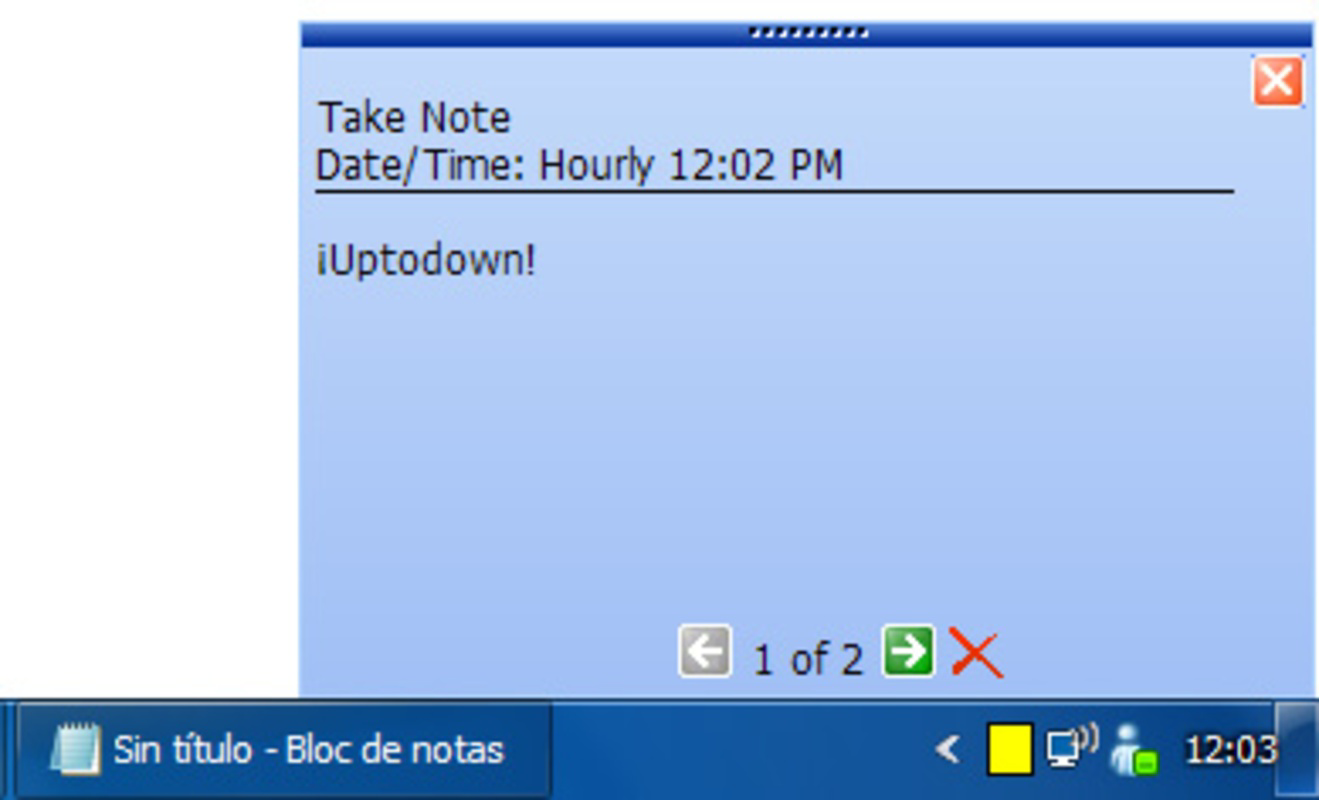
- System Tray Integration: After scheduling, notifications appear directly from the system tray, minimizing screen disruption while maintaining visibility. This feature enhances workflow continuity, especially during focused tasks.
- User-Friendly Interface: The layout is straightforward, with intuitive input fields and clear navigation. New users can begin setting up reminders immediately without needing to consult a manual.
- Quick Setup: Creating a notification takes seconds. With minimal taps, users can define a message, time, and frequency, making it ideal for on-the-go adjustments.
For example, a student could set a daily 8:00 AM reminder to “Study for biology exam,” with a weekly repeat. A remote worker might schedule hourly alerts to “Stretch and hydrate” to maintain physical well-being. These use cases demonstrate how the app’s core features translate into tangible productivity gains without complexity.
Interface, UX & Performance
Take Note features a clean, minimal interface focused on functionality. The layout prioritizes essential inputs—message, time, frequency—arranged in a logical sequence. Visual design is utilitarian, with no decorative elements, aligning with its purpose as a task-oriented tool. Navigation is linear and predictable, with no hidden menus or complex workflows.
Although the developer did not list formal performance metrics, the app’s small file size of 2.1 MB suggests efficient resource usage. It is expected to run smoothly on a wide range of Android devices, including older models. Responsiveness appears consistent based on its long-standing operation, with notifications triggering reliably at set times.
Stability is a key strength, particularly given the app’s release date in 2010. The lack of reported issues in public forums indicates consistent behavior over time. However, the absence of recent updates may raise concerns about compatibility with newer Android versions, though no specific incompatibility has been documented.
Platform Compatibility & Technical Requirements
Take Note is available exclusively on the Android platform. The app supports Android operating systems, though specific version requirements were not listed. Given its release in 2010, it likely runs on older Android versions, but compatibility with current OS releases cannot be confirmed without official documentation.
The app’s file size is 2.1 MB, making it lightweight and suitable for devices with limited storage. It is available at no cost, with a software version of 1.0.2. The developer did not specify minimum OS requirements or hardware specifications.
Pros and Cons
Pros
- Free to download and use with no in-app purchases
- Lightweight design with minimal storage usage (2.1 MB)
- Simple, intuitive interface suitable for all user levels
- Reliable notification delivery with system tray integration
- Supports multiple scheduling frequencies including custom intervals
Cons
- No recent updates since 2010; may lack support for modern Android features
- Developer did not provide technical details on OS compatibility
- Limited visual customization options
- Minimal feedback or user engagement features
- No cloud sync or backup functionality
FAQ
Is Take Note safe to install on Android?
Yes, the app is free and available through official Android channels. Its long-standing presence and small size suggest it is not malicious. However, users should ensure it is downloaded from a trusted source.
Can I use Take Note on iOS devices?
Currently, the app is only available for Android. There is no official iOS version, and no information suggests future availability on Apple platforms.
Does Take Note require internet access?
No, the app operates offline. Notifications are triggered locally based on device time, making it functional without an internet connection.
How often can I update the app?
As of now, no updates have been released since 2010. The developer has not announced any plans for future releases.
Is my data stored securely?
The app does not sync data to external servers. All reminders are stored locally on the device, reducing exposure to third-party access. However, no encryption details were provided.
Final Thoughts
Take Note remains a dependable solution for users who need a no-nonsense way to manage reminders and stay on schedule. Its enduring relevance stems from its simplicity, reliability, and minimal resource demands. While the lack of recent updates raises questions about long-term compatibility, its core functionality continues to serve users seeking a straightforward task management tool.
It is particularly valuable for individuals who prefer lightweight apps without cluttered interfaces or unnecessary features. For those focused on productivity through structured reminders, Take Note offers a practical, secure, and free option.
Download Take Note now
Guides & Tutorials
How to install Take Note
- Click the Download button above.
- Once redirected, accept the terms and click Install.
- Wait for the Take Note download to finish on your device.
How to use Take Note
This software is primarily used for its core features described above. Open the app after installation to explore its capabilities.
User Reviews
No reviews yet. Be the first to share your experience.
You may also like
more
Que no te pillen¡
About !Que no te pillen¡Reviewed by Jason A. BilbreyShow MoreShow Less

3D Combat Zone
About 3D Combat ZoneOriginally released in 1983, 3D Combat Zone immerses players...

666: El día del portal
About 666: El día del portalOn June 6, 2006, Agent P. Stone uncovers a sinister...

80 in 1 Best Flash games
About 80 in 1 Best Flash games 80 in 1 Best Flash games is a collection of 80 fl...

ABYSS SEEKERーーWhat Do You See Deep in The Abyss
About ABYSS SEEKERーーWhat Do You See Deep in The AbyssIn ABYSS SEEKER, players...

ACA NEOGEO THE KING OF FIGHTERS 2002 for Windows
About ACA NEOGEO THE KING OF FIGHTERS 2002 for WindowsTHE KING OF FIGHTERS 2002,...